
How to Use an Image to Text Converter in Daily Life
UPDATED: Jun 20, 2025
Using an image to text converter in everyday life can simplify various tasks and improve efficiency in different scenarios. Here are some practical ways to incorporate an image to text converter into your daily routine:
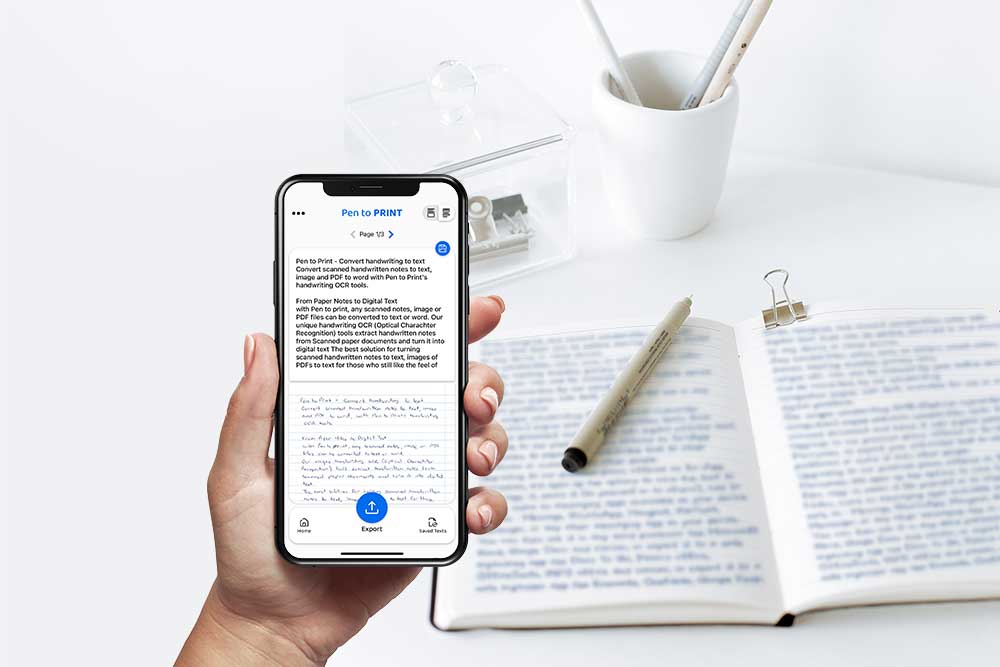
- Read Cursive and Unreadable Writing: Convert cursive handwriting or illegible text, with online OCR, from images into readable and editable text for better comprehension and clarity.
- Digitize School Notes: Students can convert handwritten class notes, lecture summaries, or study materials from image to text for easy access, organization, and revision.
- Improve Homework and Assignments: Teachers can use image to text converters to easily read and assess students' handwritten work, assignments, essays, or exams by converting them into digital text for grading and feedback.
- Transcribe Handwritten Notes: Easily convert handwritten notes, reminders, to-do lists, or meeting minutes into editable text with online OCR for better organization and accessibility.
- Extract Information from Images: Quickly extract text from flyers, brochures, posters, or business cards by converting the content into editable text for easy reference or sharing.
- Digitize Receipts and Invoices: Convert handwritten or printed receipts, invoices, or bills into editable text to create digital records, track expenses, and manage finances more efficiently.
- Translate Text: Convert text from scanned images in different languages into editable text for translation purposes or to understand foreign language content better.
- Create Searchable Documents: Convert scanned documents or images to searchable and editable text files with online OCR for quick retrieval of information and improved document management.
- Convert Handwritten Recipes: Digitize handwritten recipes from cookbooks, family recipes, or recipe cards into editable text for easy access and organization in a digital recipe collection.
- Annotate and Edit Documents: Convert scanned documents or images into editable text to annotate, edit, or add comments before sharing or printing.
- Capture Ideas on the Go: Use a mobile image to text converter app to capture ideas, notes, or sketches on the fly by converting handwritten content into digital text for further editing and sharing.
- Enhance Accessibility: Use an image to text converter to convert text from images into readable formats for individuals with visual impairments or language processing difficulties.
By integrating an image to text converter into your everyday life, you can streamline tasks, boost productivity, and enhance your digital workflow by easily converting images into searchable, editable, and shareable text content with online OCR tools.