Businesses & Teams

Turn Handwritten Documents
Into Digital Data

Convert handwritten invoices, forms, notes, and reports into clean Word, Excel, and searchable PDF. Automatically extract handwritten data without manual entry or retyping.
Built for teams and scale.

START FREE

Trusted by businesses digitizing handwritten paperwork at scale

4.2M+
Users
38M+
Pages Converted
98.7%
Word Accuracy
Use cases

Turn Handwritten Paperwork Into Clear Digital Records

Invoices, forms, work orders, meeting notes, archives — the handwritten documents your team handles every day.

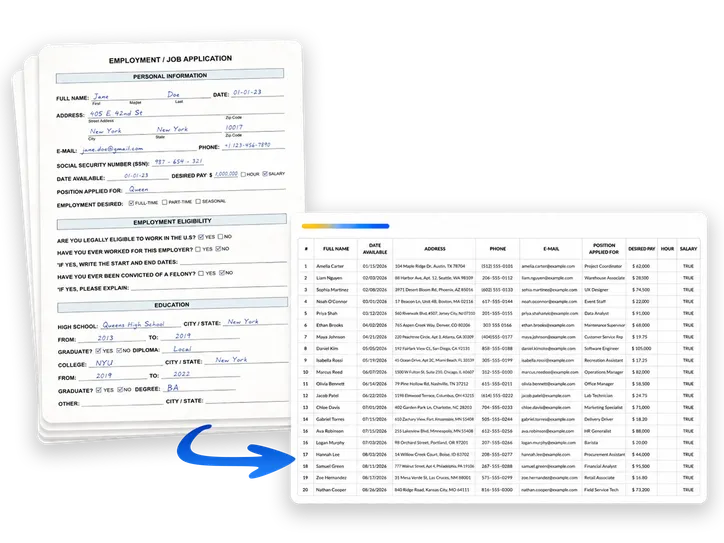
Extract data from handwritten forms

Turn handwritten forms, applications, surveys, and field paperwork into structured data your team can sort, review, and import downstream.

Capture data from handwritten invoices

Pull invoice numbers, dates, vendor names, amounts, and handwritten notes into clean digital records without retyping paper invoices by hand.

Digitize handwritten meeting notes

Turn handwritten meeting notes, workshop pages, and team action items into editable text your team can share, search, and reuse.

Process inspection & checklist forms

Handle handwritten inspection sheets, safety checklists, and maintenance forms faster while keeping the content searchable and easier to review.

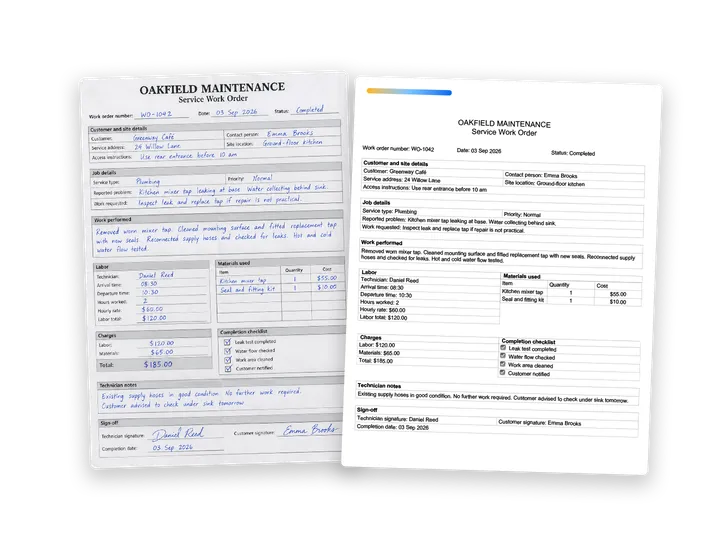
Digitize handwritten work orders

Convert handwritten work orders, technician notes, and service paperwork into editable digital documents for office follow-up and recordkeeping.

Make handwritten archives searchable

Turn scanned handwritten files into searchable archives so your team can find old records by content instead of digging through folders manually.

Capture data from receipts and expense records

Digitize handwritten receipts, expense notes, and supporting paperwork for easier reconciliation, review, and finance follow-up.

Digitize handwritten logs and reports

Convert handwritten daily logs, field reports, shift notes, and operational updates into clean digital documents without manual transcription.

Extract data from handwritten intake and application forms

Capture names, contact details, answers, and notes from handwritten intake packets and application forms into usable digital data.

Platforms & workflows

Handwritten document processing wherever you work

In your browser, on desktop or mobile, by email, or through the API — pick the mode that fits your team's volume and workflow.

ONLINE
ONLINE

Open a browser tab and run the full handwriting-to-text toolkit — no install, no IT ticket — digitize your handwritten documents and extract handwritten data in seconds.

TRY IT FREE
MOBILE
MOBILE

Capture a handwritten document on your phone in the field, and immediately get clear text back at the office — no transcription.

GET IT NOW
Business Plan
DESKTOP
DESKTOP

Upload large document sets into the desktop app and let it run, processing hundreds of pages into text in a single batch.

DOWNLOAD NOW
Business Plan
EMAIL
EMAIL

Email scanned documents to your assigned address, and get Word and Excel files back automatically — no portal, no upload.

START EMAILING
API
API

Connect the handwriting OCR to your pipeline through a REST API, and process handwritten documents at any volume.

BUILD WITH API
Team access

Built for teams. Ready to go.

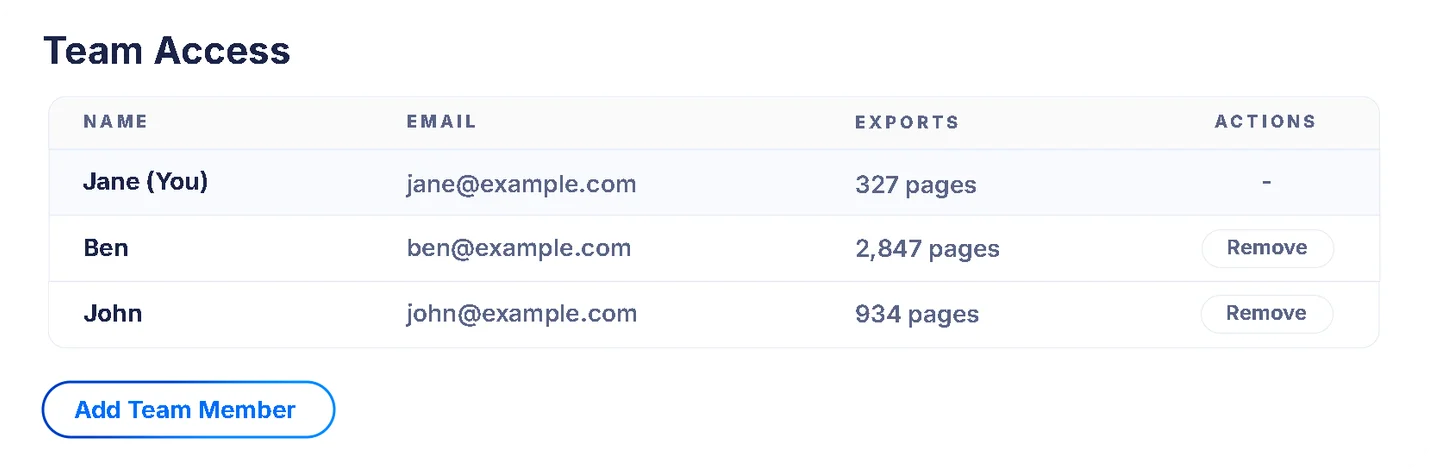
One business account, shared by your whole team. Same credit pool, same documents, same workflow. No per-seat onboarding, no IT setup.

Shared access across teams

Everyone works from the same business account and the same credit pool — invoices, forms, and notes all in one place.

No onboarding, no training

Invite teammates by email. They start converting handwritten documents in under 30 seconds.

Centralized control

Add or remove teammates and monitor usage from the account-owner view. No per-seat licensing, no admin overhead.

How accurate is Pen to Print's handwriting OCR?

Pen to Print is built specifically for handwriting — not a generic OCR engine stretched to fit it — so it reads cursive, print, and messy or mixed handwriting, with 98.7% word accuracy on standard handwritten content. It is also designed to accurately preserve layout and formatting, inline graphics, tables, forms, and math. Real-world accuracy varies and depends mostly on input quality. You can run it on your own documents free before committing.

Can I share my plan with my team?

Yes. On the Business plan your whole team works from one account and a shared credit pool. Add teammates in your account settings and, with no further setup, they start converting handwritten documents in seconds — no onboarding, no training. The account owner manages members and monitors usage from one place, with no per-seat licensing.

Can it handle high-volume and batch processing?

Yes. Our online tools handle up to 50 pages at a time, while the desktop app converts unlimited batches — entire folders of pages at once. Email OCR also accepts large batches, limited only by your email provider, and the REST API is built for automating high-volume processing.

Can I extract specific fields from handwritten forms into structured data?

Yes. Our data extraction tool is designed to instantly extract data fields from batches of scanned hand-filled forms, invoices, surveys, and applications into a master digital spreadsheet. Save hours of manual work and avoid typing errors with automated data entry.

What kinds of handwritten documents does it handle?

Pen to Print handles just about any handwritten business document, including:

  • Invoices, receipts, and purchase orders
  • Intake forms, applications, and surveys
  • Work orders, field reports, daily logs, and inspection or checklist sheets
  • Meeting notes and correspondence

It also handles structured content others miss — tables and math — and mixed handwriting with typed text on the same page. Output comes back as Word, Excel, searchable PDF, or LaTeX.

Have further questions? Contact us or email us at contact@pen-to-print.com