
Handwriting to Text Desktop App for Windows & Mac
High-volume handwriting to text processing for Windows and Mac, converting large multi-page PDFs and batches of images to text or Word.
The Pen to Print Desktop App for Windows and Mac is built for high-volume handwriting to text processing. Included exclusively with the Business plan, it is designed to convert large multi-page PDFs and batches of scanned images to editable text or Word files without browser upload limits, with a faster, more scalable workflow for archive projects, recurring operational workflows, and large-scale document ingestion.
- Windows
- Mac
- Batch processing
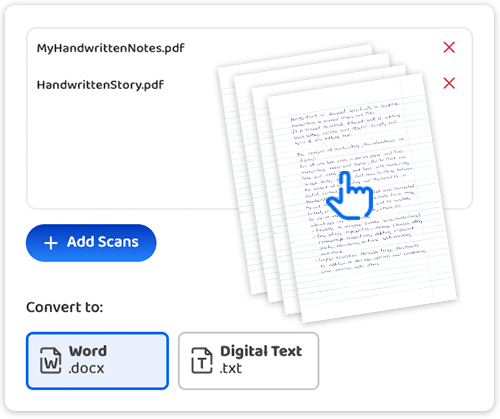
Desktop App for High-Volume Document Processing
Pen to Print's desktop app is built for high-volume handwriting to text processing workloads that go beyond what a browser-based tool can handle. Ideal for archive projects, recurring document workflows, and large batches of scanned handwritten files.

Unlimited Pages & File Size
Upload entire archives to the desktop app in one session with no per-session page caps and no browser file size limits. Process large multi-page PDFs and high-resolution scans without workarounds.

Folder-Based Processing
Add an entire folder instead of selecting files one by one, and let the handwriting OCR desktop app do the rest. Ideal for recurring workloads and scanner output folders.

Flexible Output Control
Choose your output format — Word or plain text — and only on the desktop app, decide how converted files are delivered: merge all pages into one file or create a separate output file for each input scan.
Batch Convert in Three Steps
Install once, then drop in large PDFs, image batches, or whole folders — and export to Word or text in a click.
- 1
Install and Sign In
- Download the desktop app for Windows or Mac.
- Sign in with your existing Pen to Print account.
- No separate registration or configuration is needed.
- 2
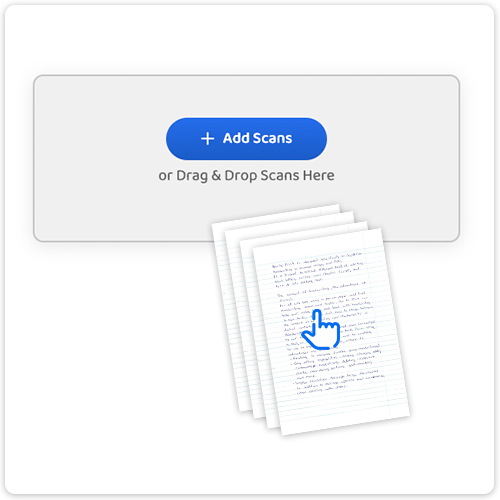
Load Large PDFs, Image Batches, or Entire Folders
- Add scanned images, large multi-page PDFs, or a full folder in one step.
- No per-session page cap and no file size ceiling.
- Built for high-volume handwriting to text workflows.
- 3
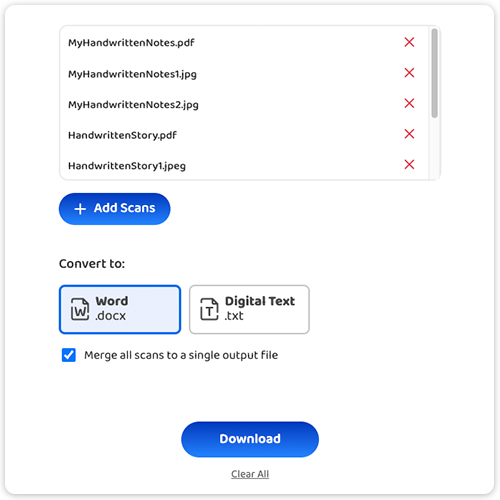
Choose Your Output & Download
- Select your output format — Word or plain text.
- Export results as one combined file or a separate file per scan.
- Download the converted files directly to your device.
Your Handwriting Stays Yours
- Although the app runs on your device, the handwriting OCR processing itself is not executed locally.
- All files are securely sent to Pen to Print's servers, where the conversion is performed and the recognized text is returned to the app.
- We do not store, access, use, or share your content in any way.
- All scanned files are automatically deleted from our servers the moment the conversion process is complete.

Handwriting OCR: Convert Handwriting to Word or Text
Convert handwritten notes, images, and PDFs into editable Word or text files.
Read more
Convert Handwriting to Text by Email
Send handwritten notes by email and automatically receive editable Word and text files in your inbox.
Read more