
Digitize Handwritten Documents by Email
Send scanned handwritten notes to an assigned email address and automatically receive editable Word and text files in your inbox. Ideal for frictionless processing.
Get Email AccessEmail-based handwriting OCR lets individuals and teams easily digitize handwritten documents. Simply send scanned notes, reports, and other handwritten files to a dedicated email address, and automatically receive the converted content as editable Word and text files. It is the fastest way to process handwritten documents, eliminate manual retyping, and optimize your document digitization workflows.
- Scan to email
- Batch processing
- Email Handwriting to Text

Scan
Scan your handwritten documents as a PDF or image.

Send
Email the scanned files to your assigned email address.

Receive
Automatically get editable Word and text files in your inbox.
Just Email. The Easiest Handwriting-to-Text.
A frictionless way to digitize handwritten documents at scale — no apps to install, no upload caps, and ready for scanner-to-email workflows.

Frictionless & Familiar Workflow
There is zero learning curve. Our email-based OCR service integrates effortlessly into your existing workflow. There are no apps or software to download, no manual website uploads or new interfaces to learn — just a seamless "email out, email in" experience.

Ideal for High-Volume and Large Files
Send massive, multi-page documents without hitting the strict upload caps of the web platform. Your file size is limited only by your email provider, allowing you to convert more pages at once.

Scanner-to-Email Ready
Our service is fully compatible with scanner-to-email workflows, enabling you to send scanned documents directly from any smart scanner or multifunction printer straight to your dedicated email address for instant conversion.
Set Up Email OCR in Two Steps
Configure your dedicated email address and choose where the converted files land — all from your account settings.
- 1
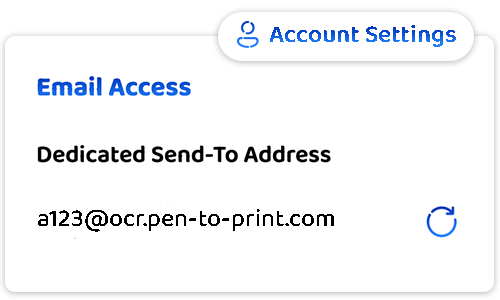
Set up a "Send To" Email
- Access your dedicated "Send To" email address directly from your account settings.
- This acts as your secure identifier for the service — treat it like a password and keep it private.
- If it ever gets into the wrong hands, instantly regenerate a new one with a single click.
- 2
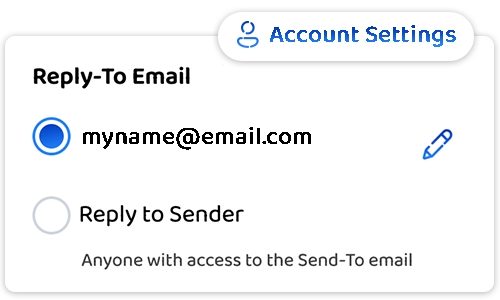
Choose Your "Reply To" Destination
- Decide where converted files are delivered, directly from your account settings.
- Send to a predefined email address — recommended for a single user.
- Or return them to the sender's address — convenient for team workflows.
Your Handwriting Stays Yours
- Your data remains entirely under your control.
- We do not store, access, use, or share your content in any way.
- All scanned files are automatically deleted from our servers the moment the conversion process is complete.

Handwriting OCR: Convert Handwriting to Word or Text
Convert handwritten notes, images, and PDFs into editable Word or text files.
Read more
Handwriting to Text Desktop App for Windows and Mac
Process large batches of handwritten scans and PDFs into text or Word.
Read more