
How to
How to Convert Handwritten Notes to Text Online
A step-by-step walkthrough for turning handwritten notes into editable text.
Updated: May 31, 2026
Pen to Print is a fast and easy online OCR (Optical Character Recognition) tool that makes converting scanned handwritten notes into editable text a breeze. In this walkthrough article, we will guide you through the process step by step, helping you convert your handwriting to text.
- 1
Scan Your Handwritten Notes
- Scan your handwritten notes with a desktop scanner or your phone's camera.
- Make sure the scan is clear, focused, and well-lit, with the page straight — not folded or deformed.
- Save the scan as a PDF or image file (JPG or PNG) on your device, ready for the next step.
- 2
Upload Your Scanned Document
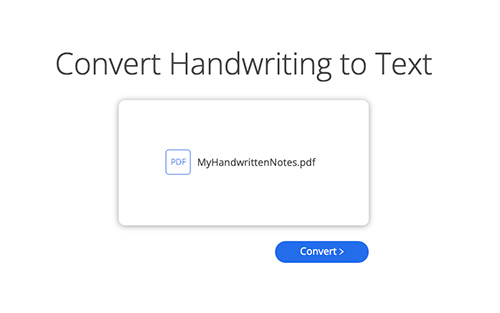
- Drag and drop your scanned PDF or image into the upload box.
- Click "Convert" to start the OCR process — the engine analyzes the page and converts your handwriting to text in seconds.
- 3
Review the Conversion for Accuracy
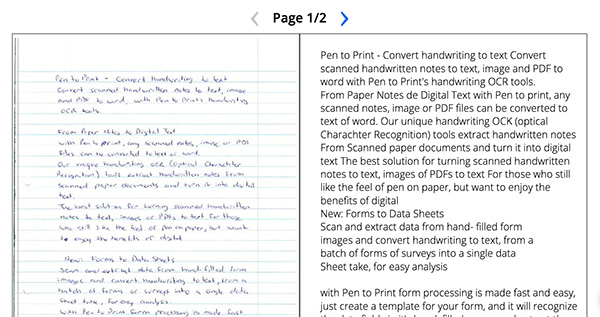
- The converted text is displayed side-by-side with the original handwritten scan.
- Evaluate the accuracy and quality of the conversion.
- 4
Choose Your Preferred Output Format
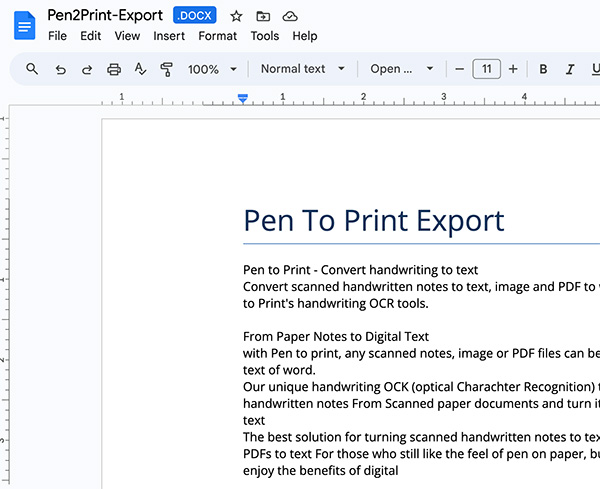
- Download as a plain text (TXT) file or a Microsoft Word (DOCX) document.
- Or copy the text to your clipboard and paste it straight into your preferred application.

- 5
Save the Converted File
- Click the download button to save the converted file to your device.
- Your handwritten notes are now editable digital text — ready to share, edit, or store however you need.
Need Help?
Have any questions?
Check out our Frequently Asked Questions or Contact Us for further assistance.
More to explore

Handwriting OCR: Convert Handwriting to Word or Text
Convert handwritten notes, images, and PDFs into editable Word or text files.
Read more
Cursive Reader: Translate Cursive to Text
Convert cursive, messy, and illegible handwriting into clear, readable digital text.
Read more